.

.

Tuesday, April 29, 2014

Social Networking


Social Networking in Schools

     When students enter a classroom today, they are typically asked to power down their mobile and electronic devices. Some argue that students should not have access to cell phones and iPads in the classroom, while others argue the opposite. The truth of the matter, whether we choose to acknowledge it or not, is that mobile devices are not disappearing any time soon. Instead of powering down, students should first be taught about digital citizenship, and then about how to use their devices as a gateway to education. Research has shown that students who engage in social networking can benefit from incorporating it into the curriculum (Module five, n.d.). By allowing students to use their electronic devises, we are making school more relevant to their lives and making education more engaging. 
     Collaborative tools like Facebook, Club Penguin (Facebook for ages 6-13), YouTube, Blogs, Wikis, Edmoto (also like Facebook), and Hubspot are all interactive and allow users to connect with each other.

What's the purpose of social networking?
     According to Gwen Solomon and Lynne Schrum, authors of Web 2.0 How to for Educators (2010), the purpose of social networking is to "communicate with others in order to learn, develop, and expand all that we know; to share ideas and information; and to enjoy social interactions" (p. 79). It can be used in the classroom to help students develop digital skills, innovative thinking, and problem solving skills.

The pros and cons of using social networking in the classroom:
     Classroom integration of social networking has many advantages and disadvantages. One of the greatest advantages to using social networking is that it helps retain student attention and engagement while keeping them informed (Zhao, 2012 and "How Well Are Students Using Social Media?", n.d.). Social networking also allows students access to  information they may not otherwise have learned in school ("How Well Are Students Using Social Media?", n.d.). While many educators fear the use of social networking in schools, they must remember that many online communities allow teachers to control the environment and monitor who has access to it. Other advantages include students being able to collaborate on projects, students have a place to post questions and concerns, having a place to keep teacher notes and videos, students who are absent can catch up on work, students can develop and retain their efforts overtime, and access can be given to family members who want to stay in touch with their child's education (Solomon & Schrum, 2010). 
     Unfortunately, there are disadvantages associated with utilizing social networking in the classroom as well. For example, some parents say that it uses up too much computer time, and that students will have a deficit in face-to-face social skills that are needed to succeed in the workplace ("How Well Are Students Using Social Media?", n.d.). Others argue that social networking has a lack of features, and that if sites do not allow for one-to-one connection, then students may not feel like the school really cares about them. Social networking sites like Facebook and Twitter also require daily maintenance and interaction with students, which can be a lot of extra work for someone to take on ("How Well Are Students Using Social Media?", n.d.). 

     In conclusion, there are many good reasons to utilize social networking in schools. Social networking may benefit students in mastering learning targets by engaging them and connecting them with real-world information and people. If students are taught how to safely use social networking tools, it can have a significant positive impact on their education. 

Resources:


Module five: Social networking tools and social media (n.d.). Retrieved April 28, 2014 from bb.snhu.edu

How well are schools using social media? [Infographic] - SocialTimes. (n.d.). SocialTimes. Retrieved April 28,   
     2014, from http://socialtimes.com/how-well-are-schools-using-social-media-infographic_b89204

Solomon, G., & Schrum, L. (2010). Web 2.0 how to for educators. Eugene, OR: International Society for 
     Technology in Education.

Zhao, E. (2012, April 30). Social media and video games in classrooms can yield valuable data for teachers. The 
     Huffington Post. Retrieved April 28, 2014, from http://www.huffingtonpost.com/2012/04/30/social-media-and-
     video-ga_n_1465082.html

Friday, April 11, 2014

Digital Footprint and Citizenship


Digital Footprint and Citizenship


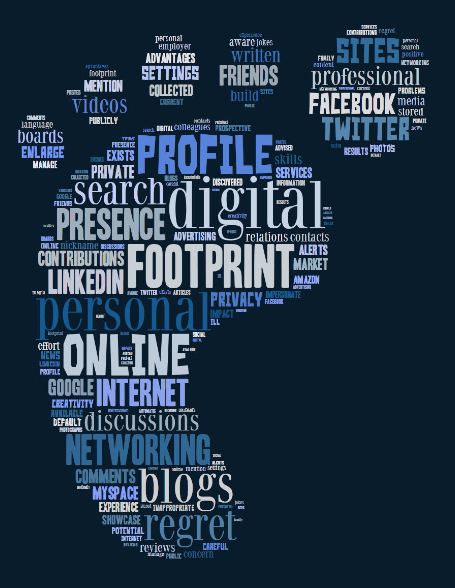
     Whether we care to realize it or not, everything we do on the internet contributes to our own digital footprint, or digital dossier. A digital footprint is the accumulation of all the digital tracks a person leaves behind, and it can start before you are even born (Digitalnatives, 2008). The video "Youth and media: Digital dossier" by Digitalnatives (2008) provides a great example of how a digital footprint is formed. According to the video, a digital footprint begins with sonogram picture being posted to a social media site for friends and family to view and comment on. Once the baby is born, it is given a barcode bracelet, pictures of it are uploaded and sent via text message, and friends post more photos on social media sites. When the child is old enough, they may begin registering to websites such as Facebook and Amazon that ask for and permanently store personal information. As this baby grows into an adult, they are monitored on surveillance cameras, tracked by GPS's in cell phones, and kept tabs on by Google. This person's identity was made "before they even began to shape it" (Digitalnatives, 2008). 
     I think my own digital footprint truly began when I created my first America Online account when I was around 10 years old, in the year 2000. This was the first time I provided my personal information on the internet. Since then, I have submitted credit card information, photos, and many other pieces of information over the internet. My digital footprint began when I was relatively young, before I understood what digital citizenship really was. As a high school student, I never considered how my Facebook page could impact my chances of getting into college. Now social media sites are examined frequently to scan candidates for college applications as well as professional job opportunities. For the rest of my life, I need to be mindful of what I post on the internet to protect my digital footprint.
     As an educator, I must now educate 21st century students on their own digital footprints and how to act as a digital citizen. Digital citizenship is comprised of all the norms of appropriate, responsible behavior through the use of technology (Module two, n.d.). Teachers are responsible for discussing appropriate digital citizenship with students prior to having them use the internet. They must also teach students how to protect their own digital footprints. 
     When I asked my 3rd, 4th, and 5th grade students when the first time they used the internet was, they could not remember! This led me to conclude that digital citizenship awareness should begin as early as kindergarten. Any students who accesses the internet should be taught about what it is and how it works. Teachers should not be afraid of digital citizenship. Instead, teachers should make the most of all that technology has to offer. Lessons should involve students in student-centered learning experiences using Web 2.0 tools, blogs, wikis, and other software. These kinds of experiences can enrich the learning experience and promote understanding. Teachers should monitor student internet access and ensure that students do not "cross the line" (Lindsay & Davis, 2012). In addition, they must have a pan for when a student does encounter disruptive material (Lindsay & Davis, 2012).
    Effective educators must use 21st century technology to promote student learning. With regards to internet access, educators should engage students in topics that will create positive learning environments by engaging students in learning. One way to engage students is by allowing them to customize and personalize their digital accounts (Lindsay & Davis, 2012). Today's teachers should help students build positive digital footprints while still protecting their privacy and enhancing their learning experiences.


Resources:

Digitalnatives. (Producer). (2008). Youth and media: Digital dossier [Web Video].Retrieved from

https://www.youtube.com/watch?feature=player_embedded&v=79IYZVYIVLA

Lindsay, J. & Davis, V. (2012, August 07). Navigating the digital rapids. ISTE Learning and 
          
           Leading, Retrieved from http://www.iste.org/learn/publications/learning-


Module two: Digital citizenship (n.d.). Retrieved April 8, 2014 from https://bb.snhu.edu/

Tuesday, April 1, 2014

Ideas of Technology Integration

Technology Integration!


     As technology creeps into our lives more and more each day, the role of a technology integration specialist becomes even more important. Technology integration specialists work with teachers and administration to develop lessons that effectively integrate various forms of technology in order to enhance student learning. The specialist has replaced the traditional "computer teacher," who used to teach basic processing and typing skills (Module one, n.d.). The specialist does those things and more. The role of a technology integration specialist is to create and implement curriculum as well as provide professional development opportunities for teachers (Module one, n.d.). They may even serve as a "coach" for less tech-savy educators. 
     Today's students are dependent on an education that incorporates technology. Students are constantly surrounded by technology in their home lives, and will continue to be surrounded by it for the remainder of their lives. (Scary thought!) Solorom & Schrum, authors of Web 2.0 How to for Educators (2010), argue that teachers should use the tools that students find appealing, such as iPads and laptops, to help prepare them for the future. Instead of asking students to "power down" at the start of class, teachers should encourage students in their use of technology to connect and communicate with others (Module one, n.d.). Today's students are goal-oriented and driven, yet they need to be actively engaged in learning, and technology is one way to accomplish that. Students also want to be measured "and see how much they are improving," and technology is one way that can happen (MacArthur Foundation, 2010). 
     I recently interviewed a 3rd grade teacher on her use of technology integration in the classroom. One of the points she mentioned was that her students benefited from the visual representations of their state-wide standardized test grades. They liked comparing their results to the results of others. Technology is important not only for learning, but also for reflection. Students do not always have to be immersed in technology, instead, they can use tools such as blogs and wiki pages to reflect on learning (MacArthur Foundation, 2010). 
     Technology use, I'm sure, varies by school and district. My school was fortunate to receive a start-up grant with money for technology, so we were able to furnish our classrooms with the latest and greatest on the market! It is important to note, however, that just because we have it available does not mean we all use it. This afternoon I attended a staff meeting where we focused on technology integration in our school. The majority of our teachers admitted to not ever having used the interactive white boards in their classrooms because they do not know how. The technology integration specialist responded by organizing a workshop for all teachers to attend in order to learn how to use the tool. Teachers and administrators alike need to be willing to put in the necessary effort to implement the technology they have available. Technology is necessary, not only for teaching 21st century skills, but also for developing creativity and engagement (MacArthur Foundation, 2010). It is something that educators can no longer afford to brush off and avoid using.

Module one: Reviewing the role of the technology integration specialist (state/national standards) (n.d.).    
     Retrieved April 1, 2014 from https://bb.snhu.edu/

Solomon, G., & Schrum, L. (2010). Web 2.0 how to for educators. Eugene, OR: International Society 
     for Technology in Education.


MacArthur Foundation. (Producer). (2010, December 01). Rethinking learning: The 21st century 
     learner [Video]. Retrieved from https://www.youtube.com/watch?
     NR=1&feature=endscreen&v=c0xa98cy-Rw